
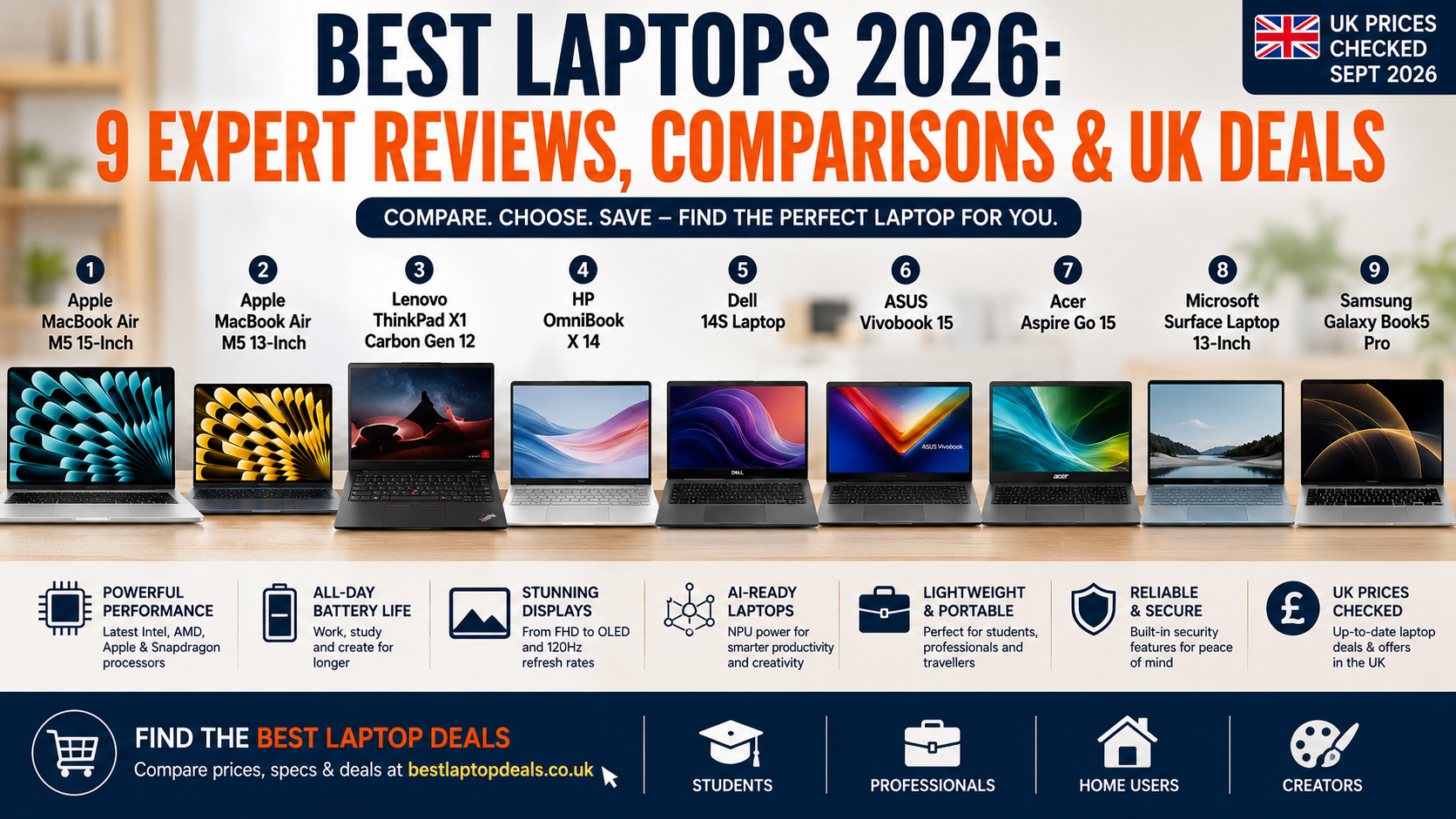
Choosing a new laptop in 2026 is harder than simply picking the processor with the biggest number or the laptop with the largest discount.
The UK market now includes traditional Windows notebooks, Apple silicon MacBooks and a growing selection of AI PCs with dedicated Neural Processing Units (NPUs). At the same time, laptop specifications can vary considerably even when two machines share the same product name.
Price matters, but so do processor performance, RAM, SSD storage, display quality, battery life, portability, build quality, operating system, connectivity and the software you intend to use.
AI capabilities are also becoming increasingly relevant. Copilot+ PCs and Apple Intelligence can offer useful on-device features, but the experience depends on the processor, operating system and individual configuration.
That is why comparing the Best Laptop Deals alongside the actual specification is important. A heavily discounted laptop is not necessarily good value if it has insufficient RAM, a poor display or an older processor.
For UK shoppers, our Best Laptop Deals resource provides another useful place to compare current offers and specifications across different brands.
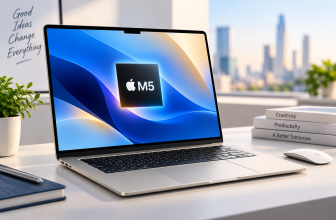
This guide brings nine very different laptops together in one comparison, from the compact MacBook Air M5 and ultra-light ThinkPad X1 Carbon Gen 12 to affordable models such as the Acer Aspire Go 15 and ASUS Vivobook 15.
Price and availability note: UK prices change frequently. Prices quoted in this guide are current snapshots based on manufacturer or retailer listings checked around September 2026. Different RAM, storage, processor and display configurations can have significantly different prices.
Quick Comparison: 9 Best Laptops in the UK
| Laptop | Screen | Processor | RAM | Storage | OS | Key Feature | Best For | Approx. UK Price* | Overall Value |
|---|---|---|---|---|---|---|---|---|---|
| Apple MacBook Air M5 15-inch | 15.3″ Liquid Retina | Apple M5, 10-core CPU, 10-core GPU | 16GB+ | 512GB+ | macOS | Large, fanless Apple silicon laptop | Professionals, creators, home users | From £1,299 | 9.3/10 |
| Apple MacBook Air M5 13-inch | 13.6″ Liquid Retina | Apple M5, 10-core CPU, 8-core GPU | 16GB+ | 512GB+ | macOS | Compact design and efficiency | Students, commuters, Apple users | From £1,099 | 9.5/10 |
| Lenovo ThinkPad X1 Carbon Gen 12 | 14″ | Intel Core Ultra U-series | 16GB+ | 256GB+ | Windows 11 | Business-focused design and keyboard | Business users | Around £1,000+ | 9.0/10 |
| HP OmniBook X 14 | 14″ 2K IPS | Core Ultra 5 325 | 16GB | 512GB | Windows 11 | 46 TOPS NPU, Wi-Fi 7 | AI productivity | £799 current HP price | 8.8/10 |
| Dell 14S | 14″ FHD+ OLED | Ryzen AI 5 430 / Core Ultra 5 322 | 16GB+ | 512GB+ | Windows 11 | OLED display and modern connectivity | Everyday professionals | From about £1,199 | 8.6/10 |
| ASUS Vivobook 15 | 15.6″ FHD | Intel / AMD options vary | Up to 24GB on some models | 256GB–1TB+ | Windows 11 | Large screen and broad configurations | Students, home users | From £379.99 | 8.5/10 |
| Acer Aspire Go 15 | 15.6″ FHD | Ryzen 3 / Intel options vary | 8GB+ | 128GB–512GB+ | Windows 11 | Affordable 15.6″ format | Budget buyers | Around £399 | 8.3/10 |
| Surface Laptop 13-inch | 13″ touchscreen | Snapdragon X Plus | 8GB/16GB | Up to 512GB UFS | Windows 11 | 1.22kg and up to 23h video claim | Students, travellers | From £818.09 | 9.0/10 |
| Samsung Galaxy Book5 Pro | 14″ / 16″ AMOLED | Core Ultra 5/7 | 16GB+ | 256GB–1TB | Windows 11 | 3K 120Hz AMOLED | Professionals, creators | Around £1,549+ | 9.1/10 |
*Prices are indicative UK prices and may refer to starting prices or specific configurations. They should not be treated as fixed prices.
The MacBook Air M5 models stand out for efficiency, portability and the macOS experience. The ThinkPad X1 Carbon remains particularly attractive for business users, while the HP OmniBook X and Surface Laptop offer compelling AI-focused Windows alternatives.
At the other end of the price spectrum, the ASUS Vivobook 15 and Acer Aspire Go 15 concentrate on affordable everyday computing rather than premium features.
1. Apple MacBook Air M5 15-Inch – Full Review
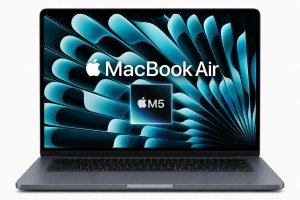
Best Large MacBook Air
For this comparison, the general Apple MacBook Air M5 listing is treated as the 15-inch model, since the 13-inch version is reviewed separately below.
The 15-inch MacBook Air M5 is designed for people who want the efficiency and portability of an Air but prefer a larger workspace.
Apple currently lists the 15-inch M5 MacBook Air from £1,299, with higher prices for additional memory, storage and the upgraded 10-core GPU configuration.
Design and build quality
The MacBook Air continues to use a thin aluminium design with a minimalist appearance.
It is not a gaming laptop or workstation, but its construction feels considerably more premium than many mainstream Windows notebooks.
The larger chassis gives the 15-inch model more screen area while retaining the basic characteristics of the Air range.
Display
The 15-inch version has a 15.3-inch Liquid Retina display with IPS technology, 2880 × 1864 resolution, 224 pixels per inch and 500-nit brightness.
Apple also specifies support for one billion colours, wide P3 colour and True Tone.
This makes the display well suited to office work, web browsing, photo work, streaming and general creative tasks.
It is not an OLED panel, however, and the standard refresh rate is not in the same category as 120Hz premium Windows OLED machines such as the Galaxy Book5 Pro.
Processor and performance
The M5 uses a 10-core CPU, while the 15-inch model comes with a 10-core GPU.
Apple also includes a 16-core Neural Engine and Neural Accelerators for AI workloads.
For everyday productivity, programming, office work, photo editing and many creative workflows, this is more than enough performance.
The absence of a fan also means the Air remains a quiet machine during normal use.
RAM and storage
The current range starts at 16GB unified memory and 512GB SSD storage, with options for 24GB or 32GB memory and up to 4TB storage.
For most users, 16GB is the sensible starting point.
Content creators working with larger projects may benefit from 24GB or 32GB, while 1TB or more becomes worthwhile if you regularly store large video libraries.
Battery life
Apple rates the MacBook Air M5 for up to 18 hours of video streaming and up to 15 hours of wireless web use, depending on the model and test methodology. The 15-inch model has a 66.5Wh battery.
These are manufacturer test figures, not a guarantee of real-world runtime.
Actual battery life varies according to brightness, applications, workload, wireless use and other settings.
Keyboard and trackpad
Apple’s backlit Magic Keyboard and large Force Touch trackpad remain among the Air’s strongest usability features.
Touch ID is built into the keyboard, providing convenient authentication without requiring a separate fingerprint reader.
Ports and connectivity
The MacBook Air includes:
- Two Thunderbolt 4 USB-C ports
- MagSafe 3 charging
- 3.5mm headphone jack
- Wi-Fi 7
- Bluetooth 6
Apple also supports up to two external displays under specified configurations.
The main limitation is the lack of conventional USB-A, HDMI and built-in SD card connectivity.
macOS and Apple Intelligence
macOS provides a polished environment for productivity and creative applications.
Apple also integrates Apple Intelligence into the platform, while the M5’s Neural Engine and Neural Accelerators provide hardware designed for AI workloads.
The bigger question is software compatibility. If you rely on specialist Windows-only business software or certain games, a Windows laptop may be more appropriate.
Webcam and speakers
The M5 Air includes a 12MP Center Stage camera, 1080p video recording, a three-microphone array and a four-speaker system with Spatial Audio support.
That makes it particularly well suited to video meetings and entertainment.
Gaming suitability
The M5’s hardware-accelerated ray tracing and improved GPU make the Air more capable than older fanless MacBooks.
Nevertheless, it remains a productivity-first laptop. Gaming compatibility on macOS is still more limited than Windows, and there is no discrete GPU.
Value for money
Starting at £1,299 for the 15-inch version, it is not a budget laptop. However, the combination of performance, battery efficiency, display quality and build makes it a strong premium purchase.
Pros
- Excellent build quality
- Large high-resolution Liquid Retina display
- Strong M5 performance
- Up to 32GB memory
- Up to 4TB storage
- Excellent battery claims
- Wi-Fi 7 and Bluetooth 6
- Excellent keyboard and trackpad
- Strong camera and speakers
Cons
- Premium price
- Limited physical ports
Best For
Professionals, students who want a larger screen, home workers and Apple users who value battery life and a premium design.
Who Should Buy It?
Buy it if you want a large MacBook Air without moving to the heavier MacBook Pro range.
Who Should Avoid It?
Avoid it if you need Windows-only software, extensive physical connectivity or serious gaming performance.
Overall rating: 9.3/10
Buy Now
2. Apple MacBook Air M5 13-Inch – Full Review
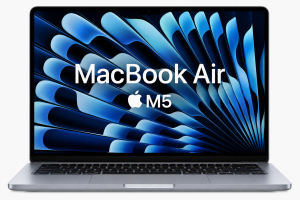
Best Portable MacBook
The 13-inch MacBook Air M5 is arguably the most universally useful laptop in this comparison.
Apple lists it from £1,099, with 16GB memory and 512GB SSD storage at entry level. Higher configurations can reach 32GB memory and 4TB storage.
Compact design
The 13-inch Air measures 30.41 × 21.5cm and weighs approximately 1.23kg.
That makes it particularly attractive to students and commuters.
The smaller chassis also makes it easier to use on trains, planes and smaller desks.
Display quality
The 13-inch model uses a 13.6-inch Liquid Retina IPS display with 2560 × 1664 resolution, 224ppi and 500-nit brightness.
It supports P3 wide colour, True Tone and one billion colours.
Performance
The entry M5 configuration has a 10-core CPU and 8-core GPU, while a 10-core GPU version is available at a higher price.
For browsing, Microsoft 365, coding, university work, programming, photo editing and general productivity, the base configuration should be more than adequate.
Battery life
Apple’s rating is up to 18 hours of video streaming and up to 15 hours of wireless web use.
Again, those figures are controlled manufacturer tests.
Connectivity
It includes:
- Two Thunderbolt 4 USB-C ports
- MagSafe 3
- 3.5mm headphone jack
- Wi-Fi 7
- Bluetooth 6
The lack of USB-A can be inconvenient for people with older accessories.
Student use
This is one of the strongest student choices here.
The 1.23kg weight, strong battery claim, excellent keyboard and quiet operation make it easy to carry between lectures, libraries and home.
Professional use
The M5 platform is powerful enough for office applications, programming and many professional workflows.
However, professionals using specialist Windows software should check compatibility before buying.
Creative work
The M5’s media engine supports hardware-accelerated H.264, HEVC, ProRes and ProRes RAW, making it a capable option for many photo and video workflows.
For demanding professional video production, a MacBook Pro with more sustained cooling and graphics performance remains the better choice.
Value for money
At £1,099 starting price, it is expensive compared with budget Windows laptops but compelling among premium ultraportables.
Pros
- Very portable
- Excellent build quality
- Strong M5 performance
- Excellent display
- 16GB memory and 512GB SSD starting point
- Excellent battery claims
- Strong camera
- Wi-Fi 7
- Quiet fanless design
Cons
- Expensive
- Limited ports
Best For
Students, commuters, professionals and Apple users who prioritise portability.
Who Should Buy It?
Choose it if you want a premium laptop that can travel almost anywhere without feeling cumbersome.
Who Should Avoid It?
Avoid it if you need a large screen, Windows-only applications or extensive port selection.
Overall rating: 9.5/10
For a deeper discussion of Apple’s latest laptop versus Windows AI machines, see our MacBook Air M5 vs Windows AI Laptops comparison.
Buy Now
3. ThinkPad X1 Carbon Gen 12 – Full Review
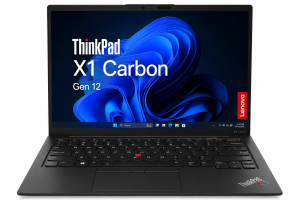
Best Business Laptop
The ThinkPad X1 Carbon Gen 12 is aimed primarily at business users, but its lightweight design also makes it attractive to professionals, students and frequent travellers.
Lenovo’s Gen 12 range uses Intel Core Ultra processors and offers configurations ranging from 16GB memory to 32GB, with SSD options depending on the exact model. Lenovo GB listings have shown substantial variation in pricing, with configurations appearing around £1,000 and above.
Design and durability
The X1 Carbon continues Lenovo’s emphasis on a lightweight carbon-fibre and magnesium construction.
Some configurations weigh around 1.09kg, making it one of the lightest laptops here.
Display
Available panels include a 14-inch 1920 × 1200 IPS display, while higher-end configurations can include a 2.8K OLED panel with 120Hz refresh rate.
That means buyers need to check the exact configuration rather than assuming every X1 Carbon has the same screen.
Performance
Gen 12 uses Intel Core Ultra U-series processors, depending on configuration.
These processors provide a dedicated NPU for local AI workloads, while integrated Intel graphics handle everyday visual tasks.
It is a productivity laptop rather than a gaming machine.
RAM and storage
RAM is soldered, so choosing the right capacity when ordering is important.
Configurations include 16GB and 32GB, while SSD capacity varies by model.
Some configurations provide a 512GB or 1TB PCIe Gen4 SSD.
Keyboard
The ThinkPad keyboard remains one of the strongest reasons to buy an X1 Carbon.
The familiar TrackPoint is retained, while the trackpad is larger than previous generations.
For people who spend several hours writing reports, emails or documents every day, this is a meaningful advantage.
Security
Business-focused features include:
- Fingerprint reader
- TPM security
- Optional IR camera
- Webcam privacy shutter
- BIOS security features
The exact security configuration varies by model.
Webcam and communications
1080p cameras are available, with higher-resolution camera options on selected configurations.
Dolby Voice, array microphones and business-focused conferencing features are also part of the platform.
Connectivity
The X1 Carbon has an unusually useful port selection for a thin laptop:
- Two Thunderbolt 4 USB-C
- Two USB-A
- HDMI
- Headphone/microphone connection
That makes it particularly convenient in offices where users still rely on USB-A accessories.
Battery
The standard battery is 57Wh.
Some Lenovo configurations support rapid charging, with Lenovo documentation indicating up to 80% capacity in around an hour using a suitable charger.
Actual battery life depends heavily on the display and processor configuration.
AI capabilities
The Core Ultra platform includes an NPU for AI acceleration.
However, not every AI feature requires an NPU, and the X1 Carbon should primarily be considered a premium business laptop with additional AI capabilities rather than an AI-first consumer machine.
Remote working
This is one of its strongest use cases.
The lightweight chassis, excellent keyboard, security features, good webcam options and extensive connectivity make it particularly well suited to hybrid workers.
Value for money
The X1 Carbon commands a premium.
If your priority is simply web browsing and documents, cheaper laptops offer considerably better value.
For business users who value durability, portability, keyboard quality and connectivity, however, the premium can be justified.
Pros
- Extremely light
- Excellent keyboard
- Business-grade design
- Strong connectivity
- Good security features
- Multiple display choices
- Core Ultra AI capabilities
- Excellent travel laptop
Cons
- Expensive
- RAM is soldered
Best For
Business users, executives, consultants, remote workers and frequent travellers.
Who Should Buy It?
Choose it if portability, keyboard quality and business features matter more than gaming or raw graphics performance.
Who Should Avoid It?
Budget buyers and users who simply need a basic laptop for browsing and Office applications.
Overall rating: 9.0/10
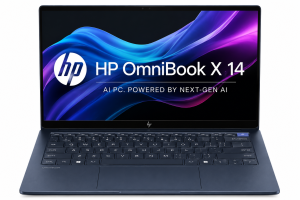
4. HP OmniBook X 14 – Full Review
Best AI-Focused Windows Laptop
The HP OmniBook X 14 requires a little explanation in 2026 because the range now includes configurations based on different processor platforms.
The current UK HP listing reviewed here uses an Intel Core Ultra 5 325, 16GB RAM and 512GB SSD. HP lists the configuration at £799, reduced from £1,199, although it is currently shown as out of stock.
Design
The OmniBook X uses an aluminium chassis with a sandblasted anodised finish.
The current UK configuration weighs approximately 1.3kg and measures 31.36 × 22.52 × 1.26cm.
That makes it a reasonably portable 14-inch Windows laptop.
Display
The UK model has a 14-inch 1920 × 1200 IPS display with:
- 16:10 aspect ratio
- 400 nits
- 100% sRGB
- Gorilla Glass 3
- Anti-flicker technology
It is not touchscreen in this configuration.
The 16:10 ratio is particularly useful for office documents and web pages because it provides more vertical workspace than a conventional 16:9 panel.
Processor and AI
The Core Ultra 5 325 has eight cores and an Intel AI Boost NPU rated at 46 TOPS.
This qualifies the configuration for Microsoft’s Copilot+ class of AI PCs and gives it dedicated hardware for compatible AI workloads.
Performance
For everyday productivity, multitasking, web applications and office work, the Core Ultra 5 platform is a strong fit.
The integrated Intel graphics are not intended to compete with dedicated gaming GPUs.
RAM and storage
The reviewed UK configuration provides:
- 16GB LPDDR5x
- 512GB PCIe Gen4 NVMe SSD
The RAM is onboard, so buyers should consider their long-term memory requirements before purchasing.
Battery
The machine has a 59Wh battery and supports fast charging to approximately 50% in 45 minutes under HP’s stated conditions.
HP does not provide a single guaranteed real-world runtime figure because battery performance varies according to usage.
Connectivity
The port selection is excellent for a thin 14-inch machine:
- Two Thunderbolt 4 USB-C
- Two USB-A
- HDMI 2.1
- Headphone/microphone jack
- Wi-Fi 7
- Bluetooth 6
Webcam
The 5MP IR camera is a major advantage for remote workers.
It includes HDR and temporal noise reduction, while the physical privacy shutter adds a useful layer of privacy.
Value for money
At £799, the current HP configuration looks considerably more attractive than its £1,199 list price.
However, because the particular listing is currently out of stock, shoppers should check availability and comparable configurations before treating £799 as an immediately available deal.
Pros
- 46 TOPS NPU
- Copilot+ capable configuration
- 16GB RAM
- 512GB SSD
- Good 16:10 display
- 400-nit brightness
- Wi-Fi 7
- Excellent port selection
- 5MP IR webcam
- Lightweight 1.3kg design
Cons
- Current configuration listed as out of stock
- Integrated graphics only
Best For
AI productivity, remote working, students and professionals who want modern Windows features.
Who Should Buy It?
Choose it if local AI features and a modern Windows platform matter to you.
Who Should Avoid It?
Users who need dedicated graphics for demanding creative applications or gaming.
Overall rating: 8.8/10
Buy Now
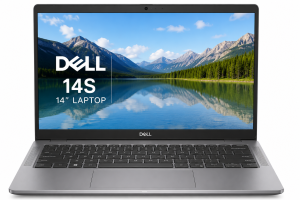
5. Dell 14S Laptop – Full Review
Best Modern Everyday Dell
The Dell 14S is a particularly interesting 2026 model because it is available with both AMD Ryzen AI and Intel Core Ultra configurations.
The current Dell UK AMD configuration examined here costs £1,199 and includes Ryzen AI 5 430, 16GB LPDDR5X, 512GB SSD and a 14-inch FHD+ OLED display.
Design
The chassis uses aluminium for the LCD cover, base and palm rest, while the bezel is plastic.
The AMD configuration starts at approximately 1.46kg with the non-OLED configuration and around 1.51kg for the OLED version.
Display
The OLED option is one of the biggest reasons to consider the Dell 14S.
The 14-inch panel has:
- 1920 × 1200 resolution
- OLED technology
- 300 nits
- 100% DCI-P3
- Anti-glare treatment
- ComfortView Plus
That colour coverage makes it more attractive for media and creative work than many budget 14-inch laptops.
Processor
The AMD configuration uses Ryzen AI 5 430 with four cores and a 50 TOPS NPU.
Dell also offers Intel Core Ultra 5 322 and Core Ultra 7 355 configurations, with NPU capabilities and Copilot+ support.
RAM and storage
The current configuration has 16GB LPDDR5X and a 512GB SSD.
Higher configurations can offer 32GB memory and up to 2TB storage, depending on the build.
Connectivity
The Dell 14S has:
- Two USB4/Thunderbolt-capable USB-C ports depending on configuration
- Two USB-A ports
- HDMI 2.1
- Headphone jack
- Wi-Fi 7
- Bluetooth
The exact USB-C standard varies between AMD and Intel versions, so checking the SKU is important.
Webcam
A 1080p RGB-IR camera is available on the AMD model, with presence detection and dual-array microphones.
That is useful for hybrid workers and video calls.
Battery
The machine uses a 70Wh battery.
Dell does not provide one universal battery-life figure across the whole 14S range, so it is better to consider battery capacity and configuration rather than quoting a single runtime figure.
Everyday performance
The combination of 16GB memory, modern Ryzen AI/Core Ultra processors and SSD storage is well suited to:
- Microsoft Office
- Web browsing
- Video calls
- Multitasking
- General business work
- Media consumption
Value
The current £1,199 AMD configuration puts it into premium territory.
That price becomes easier to justify if you specifically want an OLED display, Wi-Fi 7 and a modern NPU.
Pros
- OLED display option
- 100% DCI-P3
- Modern Ryzen AI and Core Ultra options
- Up to 32GB RAM
- Up to 2TB SSD
- Wi-Fi 7
- Good port selection
- 1080p IR webcam
- 70Wh battery
Cons
- Premium price
- Many configurations make comparison difficult
Best For
Professionals, office workers, remote workers and users who want a high-quality 14-inch display.
Who Should Buy It?
Choose it if you want a modern Dell laptop with an OLED display and AI-capable processor.
Who Should Avoid It?
Budget buyers can find substantially cheaper everyday laptops.
Overall rating: 8.6/10
Buy Now
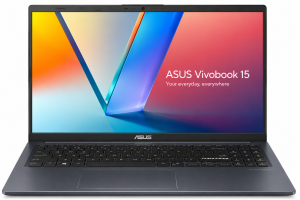
6. ASUS Vivobook 15 – Full Review
Best Affordable Large-Screen Laptop
The ASUS Vivobook 15 is not a single fixed configuration. The UK range contains several X1504 and M1502 variants with different Intel and AMD processors, memory and storage.
For example, ASUS’s X1504 range includes processors from Core i3 and Core i5 through Core i7 and newer Core 5/Core 7 variants.
The current ASUS UK eShop listing for an X1504 starts at £379.99, although exact specifications vary.
Design
The Vivobook 15 is designed as a practical everyday notebook rather than a premium ultrabook.
It has a 15.6-inch display and a full-size layout that is useful for office work.
Display
The X1504 range uses a 15.6-inch Full HD 1920 × 1080 panel, 60Hz refresh rate and 250-nit brightness.
The display is anti-glare and non-touch. Some variants use an IPS-level panel.
This is adequate for documents, browsing and streaming, but it is not comparable with premium OLED displays.
Processor choices
This is where buyers need to be careful.
The Vivobook 15 family can include older Intel Core i3/i5/i7 processors as well as newer Core 5/Core 7 models, depending on exact model number.
The processor should therefore be treated as a configuration-specific feature.
RAM and storage
The X1504 range includes configurations with 8GB or 16GB memory, while some variants support up to 24GB.
Storage options range from 256GB through 512GB and 1TB SSD configurations.
Keyboard and connectivity
ASUS provides a comfortable keyboard layout, and some configurations include a numeric keypad.
Ports can include:
- USB-A
- USB-C
- HDMI
- 3.5mm audio
- DC-in
The exact USB-C capabilities vary by model.
Battery
Many Vivobook 15 variants use a 42Wh battery, which is relatively modest compared with premium laptops such as the Dell 14S.
That does not automatically mean poor battery life, because processor efficiency and screen settings matter, but it is not the strongest choice here for all-day mobile computing.
Multitasking
A 16GB configuration with a modern Core 5/Core 7 or suitable Ryzen processor is much more attractive for multitasking than an entry-level 8GB model.
For students using Word, Chrome, Teams and research tabs simultaneously, 16GB is preferable.
Entertainment
The 15.6-inch screen gives the Vivobook a useful advantage for watching films and working with large documents.
However, the 250-nit display and standard 60Hz panel keep it firmly in the mainstream category.
Value
This is where the Vivobook 15 performs well.
The current ASUS eShop starting price of £379.99 makes it one of the more affordable options in this comparison.
Pros
- Large 15.6-inch screen
- Affordable starting price
- Many processor options
- Up to 24GB on some configurations
- SSD storage
- Practical port selection
- Suitable for Office and study
- Upgrade flexibility varies by model
Cons
- Specifications vary considerably
- Entry-level displays are basic
- 42Wh battery on many variants
- Some configurations use older processors
- Not a premium creative machine
Best For
Students, home users, office work and buyers wanting a large screen on a budget.
Who Should Buy It?
Choose a 16GB configuration with a modern processor if you want a reasonably priced everyday Windows laptop.
Who Should Avoid It?
Buyers looking for a premium display, exceptional battery life or high-end graphics.
Overall rating: 8.5/10
Buy Now
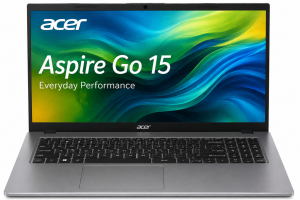
7. Acer Aspire Go 15 – Full Review
Best Budget 15-Inch Laptop
The Acer Aspire Go 15 is designed for buyers who want a large screen and basic Windows productivity without spending premium-laptop money.
Current UK configurations vary significantly.
One current Argos configuration costs £399 and uses an AMD Ryzen 3 7320U, 8GB RAM and 256GB SSD. It has a 15.6-inch Full HD display and Windows 11 Home.
Design and build
The Aspire Go is not designed to compete with aluminium premium laptops.
Its priority is affordability and practical everyday use.
The current Argos configuration weighs approximately 1.73kg and measures 36.29 × 23.96 × 1.99cm.
Display
The 15.6-inch Full HD screen provides a useful workspace for documents, web browsing and streaming.
The current configuration uses 1920 × 1080 resolution.
Acer’s broader Aspire Go 15 range includes other display and processor combinations, so the exact model number should always be checked.
Processor and performance
The Ryzen 3 7320U version is aimed at basic productivity.
It is suitable for:
- Web browsing
- Office applications
- Video calls
- Streaming
- Basic schoolwork
It is not designed for demanding video editing, 3D work or serious gaming.
RAM and storage
The Argos configuration includes 8GB RAM and a 256GB SSD.
That is a reasonable minimum for everyday Windows use, although 16GB would be preferable for users who keep many applications open.
Other Aspire Go configurations offer more memory and storage.
Battery
Argos lists approximately 10 hours of battery life for the particular Ryzen 3 configuration, while clearly noting that actual runtime varies with settings, software and configuration.
This should be regarded as a quoted figure for that configuration rather than a guaranteed working-day result.
Connectivity
The reviewed configuration provides:
- USB-A
- USB-C
- HDMI
- Headphone jack
- Wi-Fi
- Bluetooth
This makes it practical for home and school environments.
Student use
At around £399, the Aspire Go 15 can be an attractive student machine for people who mainly use browser applications, Office and streaming.
Its main disadvantage for students who travel frequently is the 1.73kg weight.
Value for money
This is the Aspire Go’s strongest argument.
At £399 for a Ryzen 3/8GB/256GB configuration, it provides a useful 15.6-inch Windows package without approaching premium pricing.
Pros
- Affordable
- 15.6-inch Full HD screen
- Windows 11
- SSD storage
- Suitable for everyday work
- HDMI and USB connectivity
- Multiple configurations
Cons
- 8GB RAM in the reviewed configuration
- Heavier than premium ultraportables
Best For
Students, home users and budget-conscious buyers.
Who Should Buy It?
Choose it when price and screen size matter more than premium build quality.
Who Should Avoid It?
Avoid it if you need high-end creative performance, serious gaming or an ultra-portable laptop.
Overall rating: 8.3/10
Our broader Best Laptop Deals in the UK guide is useful if you want to compare the Aspire Go with other budget and mid-range models.
8. Microsoft Surface Laptop 13-Inch – Full Review
Best Compact Windows Laptop
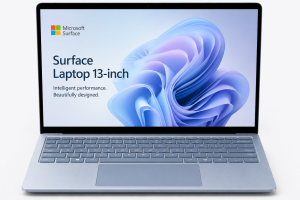
The 13-inch Surface Laptop is one of the most portable Windows options in this comparison.
Microsoft currently lists the model from £818.09 in the UK.
Premium design
The Surface Laptop follows Microsoft’s minimalist approach, with a compact aluminium-style premium design and a focus on portability.
At approximately 1.22kg, it is only slightly lighter than the 13-inch MacBook Air.
Display
The laptop has a 13-inch PixelSense touchscreen with 1920 × 1280 resolution and a 60Hz refresh rate.
The 3:2-style productivity-oriented resolution is useful for documents and web pages.
Processor
The current 13-inch model uses an 8-core Snapdragon X Plus processor.
Its Qualcomm Hexagon NPU is rated at 45 TOPS, placing it firmly in the Copilot+ PC category.
RAM and storage
Microsoft lists 8GB and 16GB LPDDR5x memory options and storage up to 512GB UFS.
For long-term Windows use, 16GB is the configuration I would favour.
Battery life
Microsoft rates the Surface Laptop for up to 23 hours of local video playback and up to 16 hours of active web usage.
These are Microsoft test results and should not be interpreted as guaranteed real-world battery life.
Windows on ARM
The Snapdragon platform brings excellent efficiency, but Windows on ARM still requires buyers to consider application compatibility.
Modern Windows applications are increasingly well supported, but specialist legacy software, drivers and certain utilities can behave differently from conventional x86 Windows machines.
Keyboard and trackpad
The Surface keyboard is well suited to long typing sessions, while the precision trackpad complements the compact design.
Webcam
The 13-inch Surface Laptop has a 1080p camera, which is suitable for video calls.
Ports
Microsoft provides:
- Two USB-C/USB 3.2 ports
- USB-A 3.2
- 3.5mm headphone jack
- Wi-Fi 7
This is a reasonable selection for such a compact machine.
Student use
The low weight, touchscreen and claimed battery performance make it attractive for students.
The main issue is price.
A cheaper Windows laptop can perform the same basic tasks, so the Surface premium is primarily paying for design, portability, display and the Microsoft ecosystem.
Professional use
For Office, Teams, browser-based applications and compatible productivity software, it is a very good fit.
Value for money
At £818.09 starting price, it sits well above mainstream budget laptops.
The value proposition improves if you specifically want a compact premium Windows machine with Snapdragon efficiency.
Pros
- Very light
- Premium design
- Touchscreen
- Snapdragon X Plus
- 45 TOPS NPU
- Wi-Fi 7
- Excellent claimed battery life
- Compact footprint
Cons
- ARM compatibility considerations
- Starting storage is limited compared with some rivals
Best For
Students, commuters, frequent travellers and Microsoft-focused users.
Who Should Buy It?
Choose it if portability and battery efficiency are priorities.
Who Should Avoid It?
Avoid it if you depend on specialist legacy Windows applications that may not be fully ARM-compatible.
Overall rating: 9.0/10
Buy Now
9. Samsung Galaxy Book5 Pro – Full Review
Best Premium Windows Display
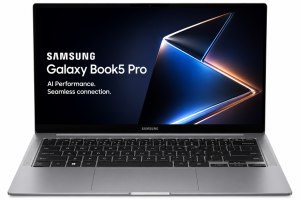
The Galaxy Book5 Pro is one of the most display-focused laptops in this comparison.
Samsung’s UK range includes 14-inch and 16-inch models. The 14-inch version uses a 3K 2880 × 1800 Dynamic AMOLED 2X touchscreen with 120Hz refresh rate.
Design and build
The Book5 Pro is designed as a premium Windows notebook.
The 14-inch version weighs around 1.23kg, making it surprisingly portable for a laptop with this specification.
Display technology
The display is arguably its greatest strength.
The 14-inch panel provides:
- 2880 × 1800 resolution
- Dynamic AMOLED 2X
- 120Hz refresh rate
- Touch support
- Anti-reflective treatment
Samsung also uses Corning Gorilla Glass with DX and Vision Booster technology.
For films, photography, creative work and general visual quality, this is one of the strongest displays in the group.
Processor
The Book5 Pro uses Intel Core Ultra Series 2 processors, including Core Ultra 5 and Core Ultra 7 options.
The Core Ultra 7 configuration has Intel Arc 140V integrated graphics and an NPU capable of up to 47 TOPS.
AI capabilities
Samsung combines Intel’s NPU with Galaxy AI features.
Features include AI Select, photo-related AI tools and Windows Copilot functionality.
However, Samsung notes that Copilot+ experiences were subject to rollout timing and device/region availability, so buyers should verify the current software state rather than assuming every advertised feature is available in exactly the same form.
RAM and storage
The range includes 16GB and 32GB memory options and storage options extending to 1TB depending on model.
Samsung’s UK listings include a 14-inch Core Ultra 7/16GB/512GB configuration at £1,549, although availability can vary.
Battery
Samsung rates the 14-inch Book5 Pro for up to 21 hours of video runtime, while the 16-inch model is rated for up to 25 hours under its testing conditions.
The 14-inch model has a 63Wh battery, while the 16-inch version has 76Wh.
Again, these are manufacturer laboratory figures.
Keyboard and touchpad
The keyboard and precision touchpad are designed for productivity, while the touchscreen provides another interaction method.
Speakers
The 14-inch model has a four-speaker system with Dolby Atmos support, including two woofers and two tweeters.
That makes it particularly appealing for entertainment.
Webcam
Samsung uses a 1080p camera with Staggered HDR features.
That is a useful advantage for video calls.
Connectivity
The Book5 Pro offers an unusually comprehensive selection:
- Two Thunderbolt 4 ports
- USB-A
- HDMI 2.1
- MicroSD
- Headphone/microphone combo
- Wi-Fi 7
- Bluetooth
Samsung ecosystem
If you already own Galaxy devices, the Book5 Pro becomes more interesting.
Samsung provides features for connecting and controlling Galaxy devices, including multi-device workflows and file sharing.
Creative work
The combination of the AMOLED display, Core Ultra processor and Arc graphics makes the Book5 Pro a capable option for photo editing and moderate creative workloads.
It still lacks a discrete GPU, so professional 3D rendering or intensive GPU compute should be handled by a workstation or dedicated gaming/creator laptop.
Value for money
At around £1,549 for a current 14-inch Core Ultra 7/16GB/512GB UK configuration, this is a premium purchase.
The display, connectivity and portability make the price easier to justify for users who actually need those features.
Pros
- Excellent 3K AMOLED display
- 120Hz refresh rate
- Touchscreen
- Core Ultra AI hardware
- Up to 32GB RAM
- Up to 1TB storage
- Wi-Fi 7
- Excellent port selection
- Strong speakers
- Samsung ecosystem integration
- Good portability
Cons
- Expensive
- No discrete GPU
Best For
Professionals, content creators, media enthusiasts and Samsung Galaxy users.
Who Should Buy It?
Choose it if display quality is one of your highest priorities in a Windows laptop.
Who Should Avoid It?
Budget buyers and users who mainly need Word, email and web browsing.
Overall rating: 9.1/10
Buy Now
Head-to-Head Comparison
Best Overall Laptop
Winner: MacBook Air M5 13-inch
Its combination of portability, performance, battery efficiency, display quality and mature software ecosystem makes it the strongest all-round choice.
The 15-inch version is preferable if you value screen size over portability.
Best Budget Laptop
Winner: Acer Aspire Go 15
The current £399 Ryzen 3/8GB/256GB configuration provides a straightforward Windows package for everyday users.
The ASUS Vivobook 15 can be an even better option if you find a higher-spec configuration at a similar price.
Best Premium Laptop
Winner: Samsung Galaxy Book5 Pro
The 3K 120Hz Dynamic AMOLED 2X display, premium construction and strong connectivity make it particularly compelling.
Best Laptop for Students
Winner: MacBook Air M5 13-inch
For students who are comfortable with macOS, the combination of 1.23kg weight and strong battery claims is difficult to beat.
For Windows users, the Surface Laptop 13-inch is an excellent alternative.
Best Business Laptop
Winner: Lenovo ThinkPad X1 Carbon Gen 12
The keyboard, security features, low weight, business connectivity and professional design make it the most natural business choice.
Best Laptop for Remote Work
Winner: HP OmniBook X 14
Its 5MP IR webcam, modern NPU, Wi-Fi 7 and 14-inch 16:10 screen make it particularly suitable for hybrid working.
Best Portability
Winner: MacBook Air M5 13-inch
At approximately 1.23kg, it is extremely easy to carry.
The Surface Laptop 13-inch is even lighter at approximately 1.22kg, so the two are extremely close.
Best Battery Life
Winner: Surface Laptop 13-inch on published claim
Microsoft quotes up to 23 hours of local video playback and up to 16 hours of active web usage.
Apple and Samsung also publish very strong battery figures, but their testing methods differ.
Best Display
Winner: Samsung Galaxy Book5 Pro
Its 3K Dynamic AMOLED 2X 120Hz touchscreen gives it a clear specification advantage over the IPS displays in most of this group.
Best AI Laptop
Winner: Samsung Galaxy Book5 Pro / HP OmniBook X 14
Both have dedicated NPUs.
The HP configuration reviewed here has a 46 TOPS NPU, while the Galaxy Book5 Pro’s Core Ultra 7 configuration reaches up to 47 TOPS.
The Surface Laptop is also a strong Copilot+ option with a 45 TOPS NPU.
Best Laptop by User Type
| User Type | Recommended Laptop | Why |
|---|---|---|
| Students | MacBook Air M5 13-inch | Lightweight, powerful and long battery claims |
| Business users | ThinkPad X1 Carbon Gen 12 | Keyboard, security and connectivity |
| Remote workers | HP OmniBook X 14 | Webcam, Wi-Fi 7 and AI features |
| Professionals | MacBook Air M5 15-inch | Larger workspace and strong performance |
| Content creators | Samsung Galaxy Book5 Pro | Excellent AMOLED display |
| Everyday users | ASUS Vivobook 15 | Large screen and affordable configurations |
| Travellers | MacBook Air M5 13-inch | 1.23kg and compact design |
| Apple users | MacBook Air M5 13-inch | macOS and Apple ecosystem |
| Windows users | Surface Laptop 13-inch | Compact premium Windows experience |
| AI-focused users | HP OmniBook X 14 | 46 TOPS NPU and Copilot+ capabilities |
Best Laptop by Budget
Under £500
Best choices: Acer Aspire Go 15 and ASUS Vivobook 15
The Aspire Go 15 has a current £399 configuration at Argos with Ryzen 3, 8GB RAM and 256GB SSD.
ASUS lists the Vivobook 15 X1504 from £379.99, although the exact specification needs checking before purchase.
At this price, prioritise 8GB RAM or more and an SSD.
£500–£800
This is where mainstream Windows laptops become more interesting.
The HP OmniBook X 14 currently has a listed £799 configuration, although the reviewed HP listing is out of stock.
A higher-spec Acer or ASUS configuration can also provide strong value.
£800–£1,200
This range opens the door to premium compact Windows laptops and entry-level MacBooks.
The Surface Laptop 13-inch starts at £818.09, while the 13-inch MacBook Air M5 starts at £1,099.
£1,200–£1,500
This is the premium sweet spot.
Options include:
- MacBook Air M5 15-inch
- Higher-spec MacBook Air M5 13-inch
- Dell 14S
- Lenovo ThinkPad X1 Carbon Gen 12
- Samsung Galaxy Book5 Pro in selected configurations
£1,500+
This is where premium configurations of the Galaxy Book5 Pro, ThinkPad X1 Carbon and MacBook Air become relevant.
At this level, buyers should be particularly careful not to pay for memory or storage they do not actually need.
Performance Comparison
CPU Performance
The nine laptops span several processor architectures.
Apple M5
The M5 combines CPU, GPU, Neural Engine and media acceleration in Apple’s unified architecture.
It is particularly strong for general productivity and efficient creative workloads.
Intel Core Ultra
The ThinkPad X1 Carbon, HP OmniBook X, Dell 14S and Samsung Galaxy Book5 Pro use different generations and classes of Intel Core Ultra processors.
Their performance varies considerably, so the processor model is more important than simply seeing “Core Ultra” on the specification sheet.
AMD Ryzen AI
The Dell 14S provides a Ryzen AI 5 430 configuration with a dedicated NPU.
AMD’s architecture is particularly relevant for buyers interested in Windows AI features.
Snapdragon X Plus
The Surface Laptop 13-inch uses Snapdragon X Plus.
Its ARM architecture helps enable the excellent battery-efficiency claims, but software compatibility should be checked if you rely on specialist applications.
Multitasking
For multitasking, I would prioritise 16GB RAM.
The 16GB configurations of the MacBook Air, HP OmniBook X, Dell 14S, Galaxy Book5 Pro and higher-spec Windows models are better suited to running many browser tabs, Office applications, communication tools and background processes simultaneously.
Budget 8GB machines such as some Aspire Go configurations are better reserved for lighter workloads.
Graphics Performance
None of these nine models is primarily a gaming laptop.
The strongest integrated graphics options include:
- Apple M5 GPU
- Intel Arc graphics in the Galaxy Book5 Pro
- Newer Intel integrated graphics
- AMD Radeon integrated graphics
The Acer Aspire Go and entry-level Vivobook configurations are aimed at basic graphics workloads.
If gaming is a major priority, a dedicated GPU laptop should be considered instead. Our Best Gaming Laptop Deals UK guide covers that category separately.
Display Comparison
| Laptop | Display | Refresh Rate | Touch | Best Use |
|---|---|---|---|---|
| MacBook Air M5 15″ | 15.3″ Liquid Retina, 2880×1864 | Standard | No | Productivity, creative work |
| MacBook Air M5 13″ | 13.6″ Liquid Retina, 2560×1664 | Standard | No | Portable productivity |
| ThinkPad X1 Carbon | 14″ IPS / optional 2.8K OLED | Up to 120Hz | Optional | Business / creative |
| HP OmniBook X | 14″ 1920×1200 IPS | Standard | No | Office / AI |
| Dell 14S | 14″ 1920×1200 OLED | Configuration-dependent | No | Media / productivity |
| ASUS Vivobook 15 | 15.6″ 1920×1080 | 60Hz | No | Everyday use |
| Acer Aspire Go 15 | 15.6″ 1920×1080 | 60Hz | No | Budget computing |
| Surface Laptop 13″ | 13″ 1920×1280 PixelSense | 60Hz | Yes | Productivity |
| Galaxy Book5 Pro | 14″/16″ 2880×1800 AMOLED | 120Hz | Yes | Creative / entertainment |
The Galaxy Book5 Pro is the clear specification leader for display technology.
The MacBook Air is particularly strong for colour-accurate general use, while the Surface’s touchscreen and productivity-oriented aspect ratio give it a different advantage.
Battery Life & Portability
Battery-life figures need careful interpretation.
Manufacturers use controlled testing procedures, and the results are not directly comparable between brands.
For example:
- Apple: up to 18 hours video streaming
- Microsoft Surface Laptop 13″: up to 23 hours local video playback
- Samsung Galaxy Book5 Pro 14″: up to 21 hours video runtime
- Acer Aspire Go 15 Ryzen 3: around 10 hours in the cited Argos listing
These numbers should be regarded as manufacturer-rated or retailer-quoted test results, not guaranteed real-world usage.
For frequent commuters, weight matters almost as much as battery capacity.
The lightest options include:
- Surface Laptop 13″: 1.22kg
- MacBook Air 13″: 1.23kg
- Galaxy Book5 Pro 14″: about 1.23kg
- HP OmniBook X: 1.3kg
- ThinkPad X1 Carbon: from about 1.09kg depending on configuration
AI Laptop Comparison
AI has become a major differentiator in 2026.
Apple MacBook Air M5
The M5 includes a 16-core Neural Engine and Neural Accelerators, supporting Apple Intelligence and other AI workloads.
HP OmniBook X 14
The reviewed Intel configuration has an Intel AI Boost NPU rated at 46 TOPS and is positioned as a Copilot+ PC.
Dell 14S
The Ryzen AI 5 430 version has a 50 TOPS NPU, while Intel configurations also provide dedicated NPU hardware.
Surface Laptop 13-inch
The Snapdragon X Plus configuration has a Qualcomm Hexagon NPU rated at 45 TOPS and supports Copilot+ PC functionality.
Samsung Galaxy Book5 Pro
The Core Ultra 7 configuration provides up to 47 TOPS NPU performance and integrates Samsung’s Galaxy AI features with Windows AI capabilities.
Which is best?
For Windows AI, the HP, Dell, Surface and Samsung models are strong candidates.
For Apple users, the M5 MacBook Air provides a highly integrated AI hardware/software experience through Apple Intelligence.
AI capability should not be judged by TOPS alone. Software support, privacy, application compatibility and the usefulness of the actual AI tools matter just as much.
Our Best AI Laptop Deals UK guide provides additional context on NPUs and AI PCs.
Operating System Comparison
macOS
The MacBook Air M5 models run macOS.
Advantages:
- Excellent integration with Apple devices
- Strong creative software ecosystem
- Apple Intelligence
- Efficient Apple silicon
- Consistent hardware/software integration
Potential disadvantages:
- Some Windows-only applications are unavailable
- Gaming library is smaller
- External hardware compatibility needs checking
Windows 11
Windows remains the more flexible choice for many business, education and gaming users.
It supports a huge range of applications and hardware.
The laptops here cover both conventional x86 Windows systems and ARM-based Snapdragon machines.
Windows on ARM
The Surface Laptop 13-inch is the main ARM example in this list.
The advantages include excellent efficiency and strong integrated AI capabilities.
The main consideration is compatibility with older x86 software, drivers and specialist applications.
Pros & Cons Comparison
| Laptop | Main Pros | Main Cons |
|---|---|---|
| MacBook Air M5 15″ | Performance, display, battery, build | Expensive, limited ports |
| MacBook Air M5 13″ | Portability, efficiency, performance | Expensive, limited ports |
| ThinkPad X1 Carbon G12 | Keyboard, security, weight, business features | Expensive, soldered RAM |
| HP OmniBook X 14 | NPU, webcam, Wi-Fi 7, 16:10 display | Configuration-dependent, current listing out of stock |
| Dell 14S | OLED, AI processors, ports | Premium price |
| ASUS Vivobook 15 | Large screen, affordability, configuration choice | Basic display on many models |
| Acer Aspire Go 15 | Low price, large display, simple Windows setup | Basic hardware and heavier design |
| Surface Laptop 13″ | Light, touchscreen, battery claims, AI | ARM compatibility considerations |
| Galaxy Book5 Pro | AMOLED, 120Hz, ports, AI, speakers | Expensive |
Which Laptop Should You Buy?
Best Overall
MacBook Air M5 13-inch
It provides the best balance of portability, performance, battery efficiency and premium design.
Best for Students
MacBook Air M5 13-inch
For students who are happy with macOS, it is lightweight enough to carry every day and powerful enough for demanding university work.
Windows alternative: Surface Laptop 13-inch.
Best for Business
Lenovo ThinkPad X1 Carbon Gen 12
Its keyboard, security, connectivity and professional design make it the obvious business-focused option.
Best Budget Option
Acer Aspire Go 15
The current £399 configuration offers a sensible starting point for everyday Windows computing.
Best Premium Option
Samsung Galaxy Book5 Pro
The AMOLED display and premium feature set make it the standout premium Windows choice.
Best for AI
HP OmniBook X 14 / Samsung Galaxy Book5 Pro
Both provide strong NPU hardware and Copilot+/AI features.
Best for Portability
MacBook Air M5 13-inch
Its 1.23kg weight makes it one of the easiest premium laptops to carry.
Best for Apple Users
MacBook Air M5 13-inch
Choose the 15-inch model if you prefer a larger screen.
Best Windows Laptop
Lenovo ThinkPad X1 Carbon Gen 12
For professional Windows users, it offers the most complete business-oriented package.
Best Value
ASUS Vivobook 15 / Acer Aspire Go 15
The answer depends heavily on the exact deal.
The ASUS can offer stronger specifications when discounted, while the Acer is straightforward and competitively priced.
Best Laptop Deals & Price Comparison
Laptop pricing can change rapidly in the UK.
A laptop listed at £999 one week may appear at £799 during a promotion, while the same product may return to full price shortly afterwards.
More importantly, two laptops with the same product name may have different processors, RAM, SSDs and displays.
That is why shoppers should compare the exact configuration, not simply the headline product name.
Our Best Laptop Deals site is designed around comparing laptop offers and specifications across brands.
You can also use our existing resources for specific categories, including:
The goal should not simply be to find the largest percentage discount. The better approach is to find the strongest combination of specification, price and suitability for your workload.
Buying Guide: How to Choose the Right Laptop in 2026
1. Determine Your Budget
Set a realistic budget before looking at models.
Under £500, you should prioritise everyday performance and value.
Between £800 and £1,500, premium displays, better processors, improved build quality and stronger battery efficiency become more accessible.
2. Choose the Right Operating System
Choose macOS if you prefer Apple’s ecosystem and compatible creative/productivity software.
Choose Windows if you need maximum software compatibility, gaming or business flexibility.
Choose Windows on ARM only after checking that your essential applications and peripherals work properly.
3. Select an Appropriate Processor
Do not choose a processor simply because its name contains “Ultra”, “AI” or “M5”.
Look at the actual processor model and intended workload.
For basic work, a modern entry-level processor is sufficient.
For professional multitasking, development and creative workloads, a stronger Core Ultra, Ryzen AI or Apple M5 configuration makes more sense.
4. Choose Enough RAM
For a new Windows laptop in 2026:
- 8GB: Basic use
- 16GB: Recommended for most users
- 32GB: Heavy multitasking and professional workloads
On Apple silicon, unified memory works differently from conventional PC RAM, but the same principle applies: buy enough for the applications you intend to run.
5. Choose Enough SSD Storage
A 256GB SSD can work for basic use, but 512GB is a better starting point for most buyers.
Choose 1TB or more if you store large video files, photographs, games or professional datasets locally.
6. Consider Display Quality
Do not look at screen size alone.
Check:
- Resolution
- Panel technology
- Brightness
- Colour coverage
- Refresh rate
- Touch support
- Aspect ratio
The Samsung Galaxy Book5 Pro demonstrates how much difference a premium AMOLED panel can make.
7. Check Battery Life
Manufacturer battery claims are useful for comparisons but should not be treated as guarantees.
Look for independent testing where available, and remember that brightness, browser tabs, video calls and demanding applications can substantially reduce runtime.
8. Consider Weight
If you commute every day, a 1.2kg laptop can feel dramatically easier to carry than a 1.7kg model.
If the laptop stays mostly on a desk, weight matters less.
9. Check Ports
Before purchasing, consider the accessories you already own.
If you regularly use HDMI, USB-A, SD cards or wired peripherals, a laptop with a broad selection of physical ports can save you from buying adapters.
The ThinkPad X1 Carbon and Galaxy Book5 Pro are particularly strong here.
10. Consider AI Capabilities
An NPU can help compatible AI applications perform certain workloads locally and efficiently.
But don’t buy an AI laptop simply because it has an NPU.
First ask whether you will actually use the AI features.
11. Check Software Compatibility
This is especially important for Mac and ARM-based Windows laptops.
Check your essential applications before changing platform.
12. Compare Prices Before Purchasing
Finally, compare the exact model number, processor, RAM, storage and display before deciding that one retailer has the better deal.
A £100 saving on an inferior configuration is not necessarily a saving.
FAQ
What is the best laptop in the UK in 2026?
For most premium buyers, the MacBook Air M5 13-inch is one of the strongest all-round options. Windows users may prefer the ThinkPad X1 Carbon, Surface Laptop or Samsung Galaxy Book5 Pro depending on their requirements.
Which laptop is best for students?
The 13-inch MacBook Air M5 is an excellent choice for students who are comfortable with macOS. The Surface Laptop 13-inch is a strong Windows alternative.
Which laptop has the best battery life?
On published manufacturer claims, the Surface Laptop 13-inch reaches up to 23 hours of local video playback. Apple and Samsung also publish very strong figures, but testing methods differ.
Is the MacBook Air M5 worth buying?
Yes, if you want strong performance, portability, a premium design and macOS. It is less suitable if you require Windows-only software or extensive physical connectivity.
Is Lenovo ThinkPad X1 Carbon good for business?
Yes. Its lightweight design, keyboard, security features, business-focused connectivity and Core Ultra options make it particularly well suited to professional users.
Is HP OmniBook X 14 a good AI laptop?
The current UK configuration reviewed here has an Intel Core Ultra 5 325 with a 46 TOPS NPU and Copilot+ PC support, making it a strong AI-focused Windows option.
Which is better for everyday use, ASUS Vivobook 15 or Acer Aspire Go 15?
Both are good budget choices. The Acer has a current £399 Ryzen 3/8GB/256GB configuration, while ASUS offers a broader range of Vivobook 15 configurations. Compare the exact processor, RAM and SSD before choosing.
Is Microsoft Surface Laptop good for students?
Yes. The 13-inch model is lightweight, has a touchscreen and offers strong manufacturer battery claims. Students should check ARM compatibility with any specialist software they need.
Is Samsung Galaxy Book5 Pro worth buying?
It can be, particularly if you value its 3K 120Hz AMOLED touchscreen, premium design, strong connectivity and AI features. It is less compelling for buyers who simply need an inexpensive laptop for Office and browsing.
How much should I spend on a laptop in 2026?
Around £400–£700 can be enough for everyday Windows computing. Around £800–£1,200 opens up premium Windows and entry-level premium Apple options, while £1,200+ is appropriate for higher-end displays, business laptops and more powerful configurations.
Are AI laptops worth buying?
They can be if you expect to use local AI features, Copilot+ tools or AI-assisted creative and productivity software. If your workload is mainly browsing and word processing, an NPU should not be your main buying criterion.
How do I find the Best Laptop Deals in the UK?
Compare the exact model number and configuration across several retailers and check current deal pages. The headline discount is less important than the final price for the specification you actually want.
Should I buy a MacBook or Windows laptop?
Choose a MacBook if you prefer macOS, Apple’s ecosystem and compatible creative software. Choose Windows for broader application compatibility, gaming and greater hardware choice.
What laptop specifications should I look for in 2026?
For most users, aim for at least 16GB RAM, 512GB SSD storage, a modern processor and a good-quality Full HD-or-better display. If AI matters to you, consider an NPU as well.
When is the best time to buy a laptop in the UK?
Black Friday, back-to-school promotions, January sales, seasonal clearance events and manufacturer promotions can all produce good opportunities. However, strong individual deals can appear at any time, so it is better to compare the current price with recent pricing rather than wait for a particular date automatically.
Final Verdict: Which of These 9 Laptops Is Best?
There is no single laptop that wins every category.
The MacBook Air M5 13-inch is the strongest all-round premium choice for buyers who value portability, performance and battery efficiency.
The MacBook Air M5 15-inch is better for users who want the same general experience with more screen space.
The Lenovo ThinkPad X1 Carbon Gen 12 remains the specialist choice for business users who care about keyboard quality, security, connectivity and low weight.
The HP OmniBook X 14 is a compelling Windows AI option, particularly at its currently listed £799 price if that configuration becomes available again.
The Dell 14S is attractive for buyers who want a modern 14-inch machine with an OLED option, Wi-Fi 7 and AI-capable processors.
The ASUS Vivobook 15 is a flexible mainstream choice, particularly when discounted.
The Acer Aspire Go 15 is the straightforward budget recommendation for everyday Windows computing.
The Surface Laptop 13-inch is one of the most interesting portable Windows machines, although its Snapdragon ARM platform means software compatibility should be checked.
And the Samsung Galaxy Book5 Pro is the premium Windows choice for buyers who put display quality, connectivity, AI features and Samsung ecosystem integration high on their list.
Our final category winners
| Category | Best Choice |
|---|---|
| Best Overall | MacBook Air M5 13-inch |
| Best Large Laptop | MacBook Air M5 15-inch |
| Best for Students | MacBook Air M5 13-inch |
| Best Business Laptop | ThinkPad X1 Carbon Gen 12 |
| Best Budget Laptop | Acer Aspire Go 15 |
| Best AI Laptop | HP OmniBook X 14 / Galaxy Book5 Pro |
| Best Premium Windows Laptop | Samsung Galaxy Book5 Pro |
| Best Portable Windows Laptop | Surface Laptop 13-inch |
| Best Affordable Large-Screen Laptop | ASUS Vivobook 15 |
| Best Display | Samsung Galaxy Book5 Pro |
| Best Portability | MacBook Air M5 13-inch |
| Best Value Premium Laptop | MacBook Air M5 13-inch |
The right choice ultimately depends on your budget, workload, operating-system preference, portability requirements, display priorities and AI needs.
Most importantly, don’t buy purely because a retailer advertises a large percentage discount. Check the exact processor, RAM, SSD, display and model number first.
For shoppers comparing current UK prices, offers and specifications, Best Laptop Deals can be used alongside the individual manufacturer listings to identify whether a current price represents good value.
Prices and availability can change quickly, so always verify the final UK price, configuration and stock status before purchasing.