
Apple MacBook Air M5 15-Inch Review: Is It Worth Buying in the UK?
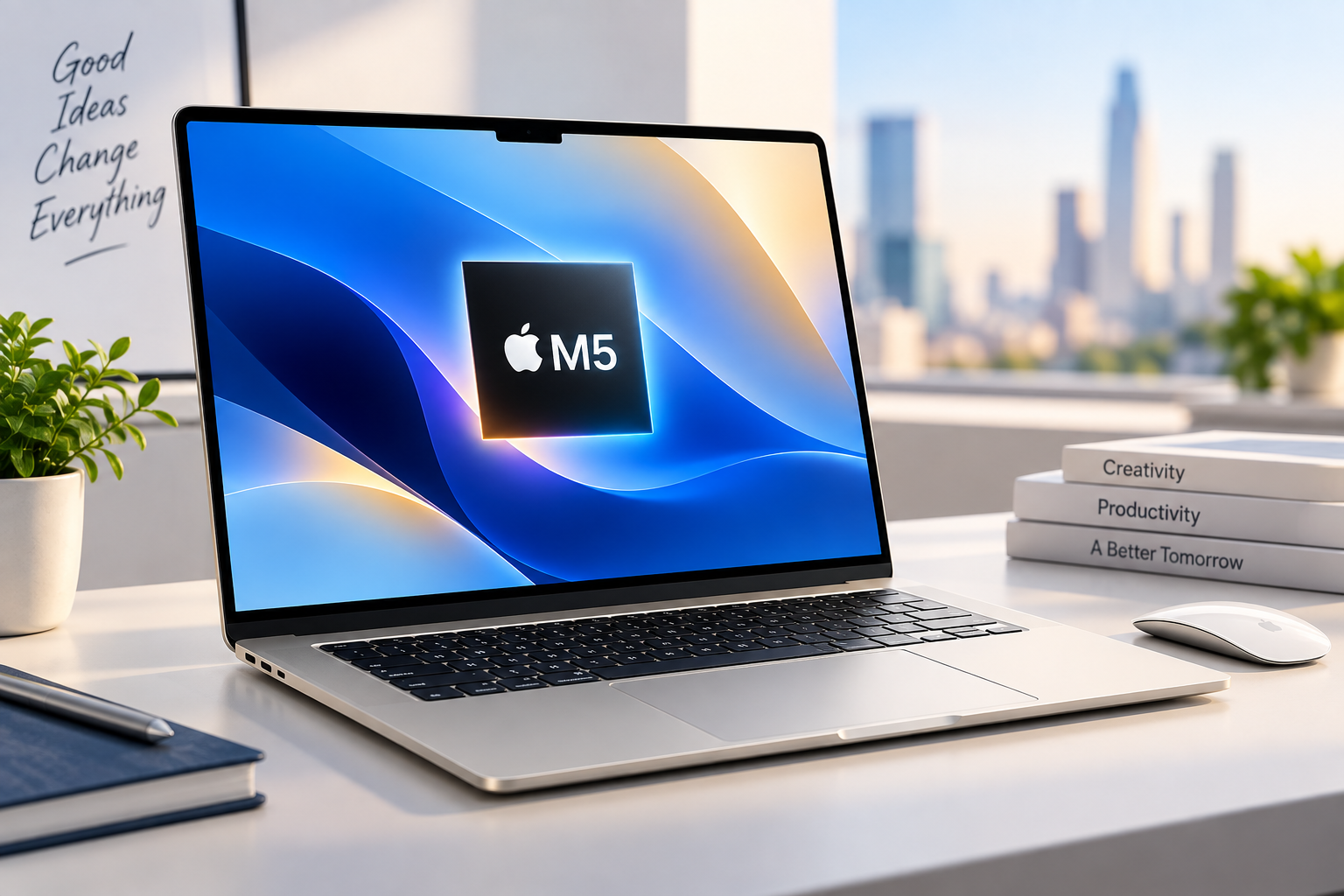
The Apple MacBook Air M5 15-inch is designed for people who want a larger laptop screen without moving up to the heavier MacBook Pro range. With Apple’s M5 chip, a large 15.3-inch display, a thin aluminium design and long battery-life claims, it is one of the most interesting premium laptops for UK buyers in 2026.
But is the 15-inch MacBook Air M5 actually worth the money?
In this guide, we’ll look at its performance, display, battery life, design, memory, storage, connectivity and suitability for students, professionals and creative users.
If you’re comparing several models before buying, you can also explore our Best Laptop Deals in the UK to compare laptops, specifications and prices.
Apple MacBook Air M5 15-Inch: Quick Overview
The 15-inch MacBook Air M5 combines Apple’s latest M5 processor with a larger 15.3-inch Liquid Retina display.
Key highlights include:
- Apple M5 processor
- 10-core CPU
- 10-core GPU
- 16GB unified memory as a starting configuration
- SSD storage from 512GB
- 15.3-inch Liquid Retina display
- Up to 32GB unified memory
- Up to 4TB SSD storage
- Wi-Fi 7
- MagSafe 3 charging
- Thunderbolt 4 connectivity
- 12MP Center Stage camera
- Touch ID
- Fanless design
The result is a laptop aimed primarily at productivity, education, business, creative work and everyday premium computing.
Design and Build Quality
One of the biggest reasons to choose the MacBook Air is its design.
The 15-inch version keeps Apple’s minimalist aluminium construction while providing significantly more screen space than the smaller 13-inch Air.
Despite the larger display, it remains considerably more portable than many traditional 15-inch Windows laptops.
The slim design also makes it suitable for:
- Home working
- University
- Business travel
- Office work
- Content creation
- Web browsing
- Entertainment
If you want a premium laptop that looks professional without being bulky, the MacBook Air M5 15-inch is particularly appealing.
15.3-Inch Liquid Retina Display
The large 15.3-inch Liquid Retina display is arguably the biggest reason to choose this model over the 13-inch MacBook Air.
It offers a 2880 × 1864 resolution, 224 pixels per inch and up to 500 nits of brightness.
The display also supports:
- Wide P3 colour
- True Tone
- One billion colours
- High-resolution viewing
The additional screen area is useful when working with multiple applications side by side.
For example, you could have a browser window on one side and a document, spreadsheet or coding environment on the other.
Is the MacBook Air M5 display good for creative work?
Yes.
The display is well suited to photo editing, graphic design, video editing and other creative tasks where colour quality and resolution are important.
However, buyers who specifically want an OLED display or a high-refresh-rate panel may find some premium Windows laptops more attractive.
For example, our Best Laptops 2026 comparison compares the MacBook Air with premium Windows alternatives, including laptops featuring OLED and 120Hz displays.
Apple M5 Performance
The M5 chip is the heart of the MacBook Air.
The 15-inch model features a 10-core CPU and 10-core GPU, providing plenty of performance for normal productivity and demanding everyday workloads.
For most users, the M5 should comfortably handle:
- Microsoft Office
- Web browsing
- Large numbers of browser tabs
- Video calls
- Programming
- Photo editing
- Light-to-moderate video editing
- Content creation
- Multitasking
- Streaming
One of the major advantages of Apple silicon is efficiency.
The MacBook Air is designed to provide strong performance without requiring the type of active cooling system found in many high-performance laptops.
Is 16GB RAM Enough?
For most users, 16GB unified memory is enough.
Students, office workers and general users should be comfortable with 16GB for everyday computing.
However, professionals working with large creative projects may want to consider 24GB or 32GB.
Choose 16GB if you:
- Browse the web
- Use Microsoft Office
- Attend video meetings
- Study
- Write documents
- Manage email
- Do light photo editing
- Use everyday productivity applications
Consider 24GB or 32GB if you:
- Edit large video projects
- Work with professional creative applications
- Run multiple demanding applications simultaneously
- Work with large datasets
- Develop complex software projects
Remember that unified memory cannot be upgraded later, so choosing the right configuration when purchasing is important.
Storage Options
The MacBook Air M5 starts with 512GB SSD storage in the configurations covered by Apple’s current range, with larger storage options available.
For most users, 512GB is a good starting point.
However, photographers, video editors and other creators may benefit from 1TB, 2TB or even 4TB.
If you mainly use cloud storage and streaming services, 512GB can be sufficient.
If you regularly store large video files locally, additional storage can quickly become worthwhile.
Battery Life
Battery efficiency is one of the MacBook Air’s biggest strengths.
Apple publishes long battery-life figures for the M5 MacBook Air, although actual results will depend on brightness, applications, workload, wireless activity and other settings.
For everyday users, the combination of Apple silicon and the fanless Air design makes it particularly attractive for working away from a power outlet.
This is useful for:
- University students
- Travellers
- Remote workers
- Business professionals
- Freelancers
- Writers
- Developers
Battery-life figures should always be treated as manufacturer test results rather than a guarantee of real-world usage.
Keyboard and Trackpad
Apple’s Magic Keyboard remains one of the strongest parts of the MacBook Air experience.
The keyboard is comfortable for long typing sessions, while the large Force Touch trackpad provides accurate cursor control and useful gesture support.
Touch ID is also integrated into the keyboard.
For people who spend several hours writing documents, coding or working with spreadsheets, these small usability details make a significant difference.
Ports and Connectivity
The MacBook Air M5 provides:
- Two Thunderbolt 4 USB-C ports
- MagSafe 3
- 3.5mm headphone jack
- Wi-Fi 7
- Bluetooth 6
The main disadvantage is the lack of traditional ports such as HDMI, USB-A and a built-in SD card reader.
If you frequently connect external monitors, cameras, USB accessories or other peripherals, you may need a USB-C hub or docking station.
Webcam and Speakers
The 12MP Center Stage camera makes the MacBook Air well suited to video meetings.
It also includes a three-microphone array and a four-speaker system with Spatial Audio support.
For remote workers and students, this means the laptop can work well without requiring an immediate upgrade to an external webcam, microphone or speakers.
Is the MacBook Air M5 15-Inch Good for Students?
Yes.
The large display is particularly useful for university work because students can view research material, notes and documents more comfortably.
It is also suitable for:
- Microsoft 365
- Google Workspace
- Programming
- Online learning
- Research
- Video calls
- Presentations
- Creative projects
The main consideration is software compatibility.
If your university or course requires specialist Windows-only software, check compatibility before buying a Mac.
Is It Good for Business?
The MacBook Air M5 15-inch is a strong business laptop for professionals who are comfortable with macOS.
Its combination of performance, portability, battery efficiency and build quality makes it suitable for:
- Managers
- Consultants
- Freelancers
- Developers
- Marketing professionals
- Designers
- Accountants
- Remote workers
However, businesses that depend heavily on Windows-specific applications may prefer a Windows laptop.
MacBook Air M5 vs Windows AI Laptops
One of the biggest laptop trends in 2026 is the growth of AI PCs.
Windows laptops such as the HP OmniBook X, Microsoft Surface Laptop and Samsung Galaxy Book series offer dedicated NPUs for local AI workloads.
The MacBook Air M5 takes a different approach by combining Apple’s hardware and software ecosystem with its Neural Engine and Neural Accelerators.
If you’re deciding between the two platforms, read our MacBook Air M5 vs Windows AI Laptops comparison for a broader look at the differences.
The right choice depends on more than AI performance. Software compatibility, operating system preference, battery life, display quality and your existing devices should all be considered.
Gaming Performance
The MacBook Air M5 is not primarily designed as a gaming laptop.
Its integrated GPU is capable of handling supported games, and Apple silicon has become considerably more capable for graphics workloads.
However, Windows remains the safer choice for gamers because of its wider game library, hardware selection and support for dedicated graphics cards.
If gaming is your main priority, look for a laptop with a dedicated NVIDIA or AMD GPU rather than choosing the MacBook Air.
You can also explore our Best Gaming Laptop Deals in the UK when comparing gaming-focused machines.
MacBook Air M5 15-Inch Pros and Cons
Pros
- Large 15.3-inch display
- Excellent build quality
- Strong M5 performance
- Fanless and quiet design
- Long battery-life claims
- Up to 32GB unified memory
- Up to 4TB storage
- Wi-Fi 7
- Excellent keyboard and trackpad
- High-quality webcam and speakers
- Premium and portable design
Cons
- Premium price
- Limited physical ports
- No built-in HDMI or SD card reader
- Not ideal for serious gaming
- macOS compatibility needs checking for specialist software
- Memory and storage cannot be upgraded after purchase
Who Should Buy the MacBook Air M5 15-Inch?
The MacBook Air M5 15-inch is a particularly good choice for people who want:
A large screen:
The 15.3-inch display gives you considerably more workspace than the 13-inch model.
Strong performance:
The M5 chip provides plenty of power for productivity and many creative workflows.
Long battery life:
The efficient Apple silicon platform is well suited to mobile working.
A premium design:
The aluminium chassis, keyboard and trackpad provide a polished user experience.
A quiet laptop:
The fanless Air design means normal workloads can be handled quietly.
Who Should Avoid It?
You may want to consider another laptop if you:
- Need Windows-only software
- Want extensive physical ports
- Need a dedicated gaming GPU
- Require an OLED 120Hz display
- Want upgradeable RAM
- Need the lowest possible purchase price
Is the MacBook Air M5 15-Inch Worth Buying?
For the right user, yes.
The MacBook Air M5 15-inch combines a large high-resolution display with strong Apple silicon performance, excellent build quality and a highly portable design.
It is particularly attractive to professionals, students, remote workers and Apple users who want more screen space without stepping up to a MacBook Pro.
The biggest reasons to think twice are its premium price, limited ports and macOS software compatibility.
Before buying, compare the exact RAM, storage and configuration rather than focusing only on the advertised discount.
You can check the latest configuration and offer on the Apple MacBook Air M5 15-Inch product page.
Final Verdict
The Apple MacBook Air M5 15-inch is one of the strongest premium laptops for users who want a large display, efficient performance and a high-quality portable design.
For students and professionals who prefer macOS, it offers an excellent balance between performance and portability.
For Windows users, however, there are several excellent alternatives with OLED displays, dedicated NPUs, touchscreen support and broader hardware compatibility.
The best approach is to compare the exact specifications and current UK price before making a purchase.
For more comparisons, price checks and buying guides, visit BestLaptopDeals.co.uk.